


Stamp assembly
Open the stamp assembly and select a slice to jump to its page.
Download successful files
Download each stamped PDF individually or save the successfully stamped files in a ZIP.
Apply one stamp image to multiple PDFs. Each document splits the stamp across its own page edges.
Add PDFs, choose a stamp image in Settings, check the slices on the page thumbnails, then generate the batch.
Open the stamp assembly and select a slice to jump to its page.
Download each stamped PDF individually or save the successfully stamped files in a ZIP.
The workspace comes first; use this section when you need the full process.
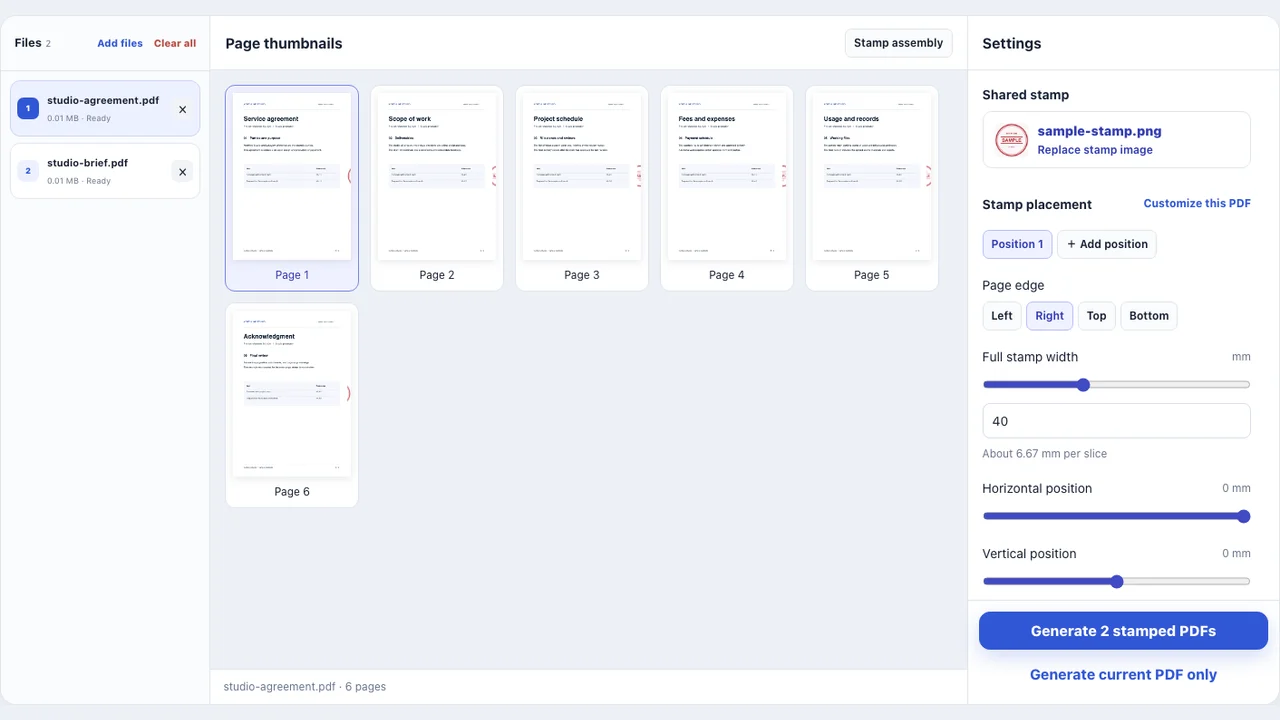
Add PDFs, choose a stamp image in Settings, check the slices on the page thumbnails, then generate the batch.
Open the stamp assembly and select a slice to jump to its page.
Download each stamped PDF individually or save the successfully stamped files in a ZIP.
Check processing location, input limits and output before you begin.


