



PDF to Word
Convert PDF files to editable Word documents
OOCCRR
Choose a PDF tool for document conversion, page editing, printing, or checking a file before sharing.
Tool groupsConvert PDF files to editable Word documents
Convert PDF files to editable PPTX presentations
Convert Word files to PDF documents
Convert PPT files to PDF documents
Convert Excel files to PDF documents
Combine multiple PDFs into one document
Batch split multiple PDFs into one ZIP
Convert images to PDF documents
Open a PDF locally in your browser to edit text, images, annotations and shapes
Remove unwanted pages and export the rest
Add blank pages to a PDF, preview, and download.
Batch-rotate PDF pages and export
Batch-detect every page and download when complete
Batch number PDFs with eight positions and shared ranges
Normalize page size with preview/export consistency
Generate traceable Bates labels with cross-file continuity or reset
Split into 2 or 3 A4 sheets with proportional full-content fitting and per-page split lines.
Pair PDF pages in order on A3 sheets, with rotation, swapping, and sheet previews
Batch black and white or grayscale conversion with text-first and ink-save presets
Place multiple PDF pages per sheet and export
Auto pad and booklet imposition with signature export
Compress PDFs locally in your browser for free. Choose Lossless, Balanced or Strong, or set an upper limit such as 2 MB or 5 MB. Text and vectors are preserved, and the actual output bytes determine whether the target is met.
Export PDF pages as images or long image
Export OFD documents as page-by-page images
Clean sensitive PDF metadata locally
Apply one stamp image to multiple PDFs. Each document splits the stamp across its own page edges.
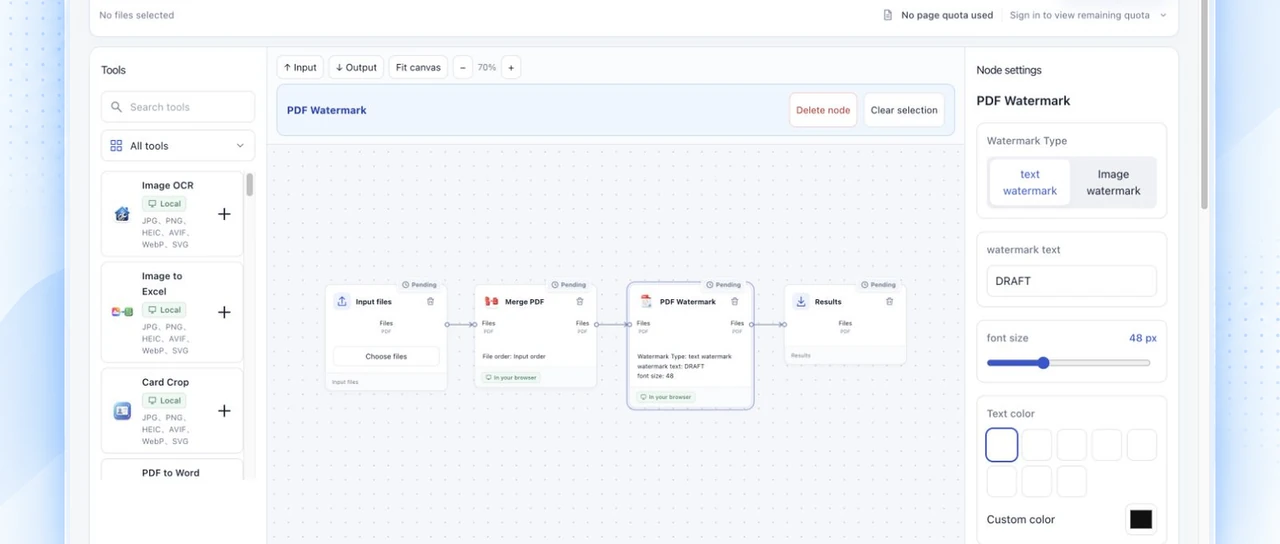
Batch add text or image watermark to PDF
Protect a PDF with a password and export
Remove password protection and export
Lock fillable fields into read-only content before external delivery